

TechnologySeptember 21, 2026
Using IP Routers to Simplify Industrial Machine Integration
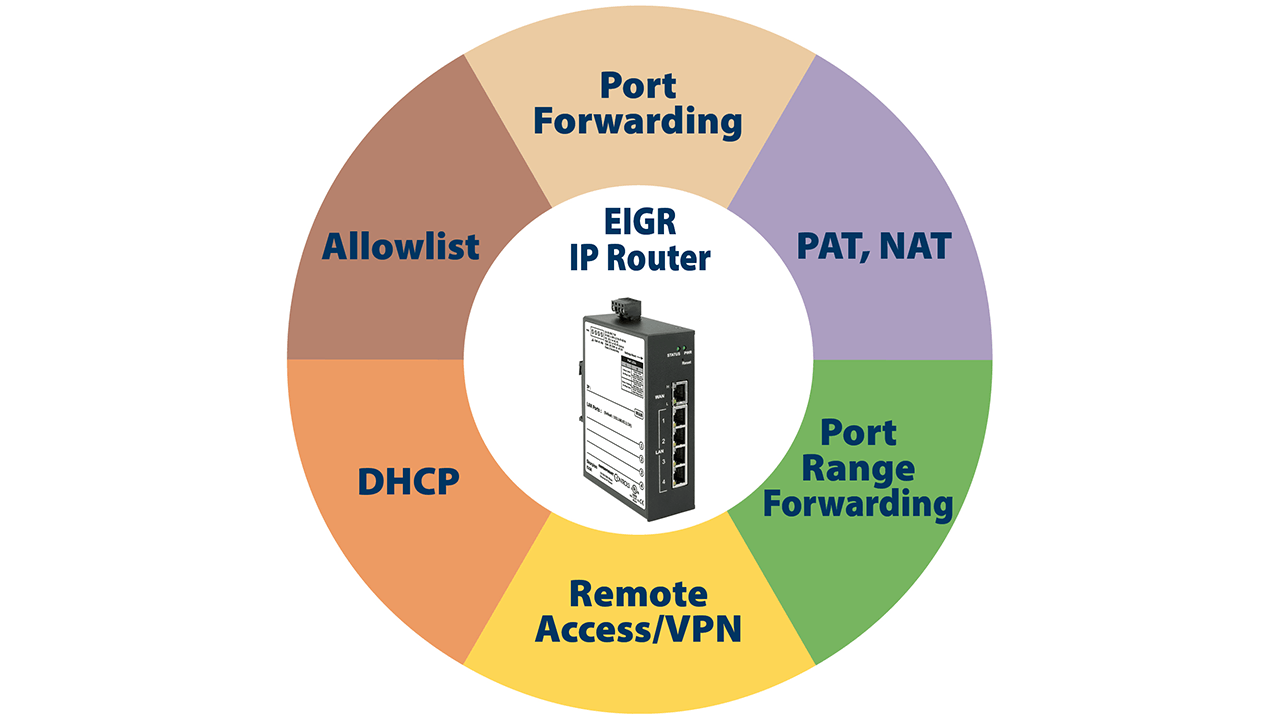
IP routers simplify machine integration by allowing machine builders to maintain original configurations while meeting customer network requirements. Using features, such as NAT, port forwarding, and network segmentation, they preserve validated configurations while complying with customer IT requirements.
Overview
Modern industrial automation systems consist of complex subsystems that communicate over Ethernet-based networks, many of which use the Internet Protocol (IP). A machine builder typically designs and validates their automation system using predefined IP addressing schemes. However, deploying the equipment at a customer site to match the network policies presents a challenge.
This article outlines how industrial IP routers can streamline the integration of preconfigured machines into existing plant networks without changing their IP addresses. It also explains how Ethernet switches can be used alongside IP routers to expand a single Ethernet network and provide reliable, industrial-grade connectivity in demanding environments.
Modern industrial machines are often made up of multiple subsystems that communicate over Ethernet/IP, Modbus TCP, PROFINET, BACnet/IP, or similar protocols layered on IPv4. During development and testing, a machine builder assigns fixed IP addresses to these subsystems and configures control applications accordingly.
Reconfiguring IP addresses and modifying control software to comply with customer network requirements is time-consuming, increases the risk of configuration errors, and can significantly delay commissioning. The effort multiplies with each additional machine installed.
Segmenting Networks (LAN/WAN)
Industrial IP routers, such as Contemporary Controls’ EIGR Skorpion series, allow machines to retain their original IP configuration while integrating with the customer network. These routers link IP networks, segmenting the machine network and the plant network while allowing appropriate traffic to pass between them and blocking all other traffic.
The LAN (Machine Network) is the internal network that hosts all machine-level devices using the original IP addressing scheme defined during development. The WAN (Plant Network) is the external network that connects to the customer’s infrastructure and is configured to comply with plant-level addressing, routing, and security requirements.
The machine subsystems appear as a single device on the plant network but can be accessed individually using router features, such as port forwarding, port range forwarding, and Network Address Translation (NAT).
Eliminating the Need to Change IP Address During Commissioning
The routers include a 4-port switch on the LAN side for connecting devices, and a built-in stateful firewall passes communication initiated on the LAN side while blocking communication initiated on the WAN side.
Port forwarding, port range forwarding, and NAT allow controlled access through the firewall, enabling communication between external clients and internal devices. With these features, multiple internal devices can be accessed through a single IP address on the WAN side, eliminating the need for the customer’s IT department to assign multiple IP addresses.
NAT translates IP addresses between different subnets. Typically, the routers map external (WAN-side) IP addresses to internal (LAN-side) addresses, allowing full access to LAN-side devices while hiding internal IP addresses from external networks. This adds a layer of security by making it more difficult for potential attackers to directly target individual devices. Using NAT, a WAN-side device can communicate with LAN devices through the firewall without requiring changes to the machine’s configuration. Different devices can be accessed using the same WAN IP address in combination with unique port numbers.
Port forwarding allows a specific port on the WAN-side IP address to be mapped to a port on a specific LAN device, while port range forwarding supports applications that require a range of continuous IP ports.
These features allow multiple machines with the same IP addressing scheme to be installed at a site by changing only the router’s WAN IP address, enabling the same network configuration to be reused without modifying device IPs and reducing commissioning time and troubleshooting effort.
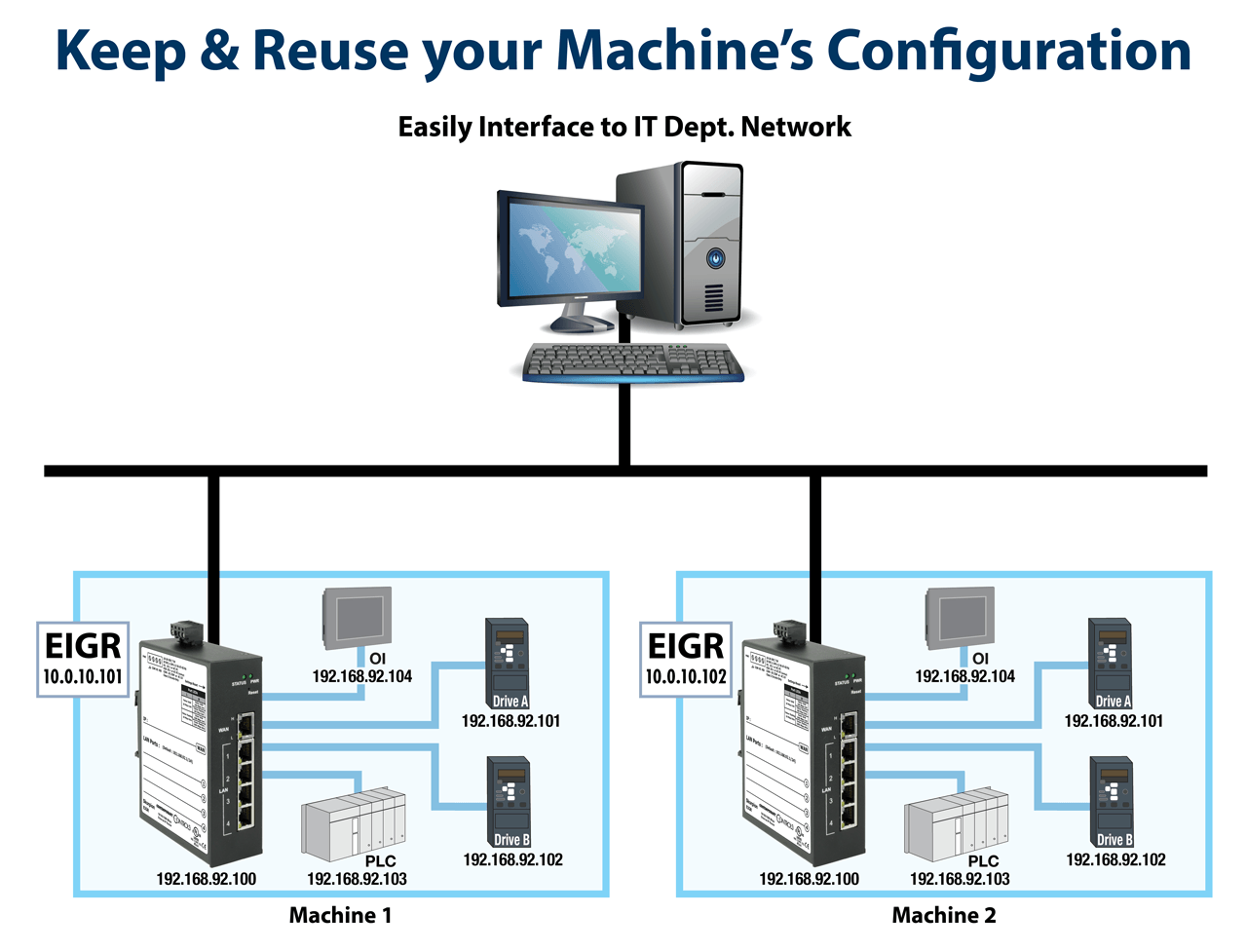
IP routers streamline machine integration by allowing machine builders to maintain original configurations while meeting customer network requirements
Isolating Traffic and Improving Security
Industrial automation devices often generate multicast and broadcast traffic for functions, such as device discovery, time synchronization, and cyclic I/O updates. Uncontrolled propagation of this traffic into plant networks can increase network load, degrade performance of critical systems, and trigger security alerts.
EIGR IP routers mitigate these issues by isolating broadcast and multicast traffic within the machine (LAN) network, preventing unnecessary traffic from reaching the factory network. Allowlists provide additional security by permitting access only from WAN-side devices with approved IP addresses. This ensures that machine-level traffic remains localized, improving overall network performance.
Configuring Gateways and Supporting Legacy Devices
Some devices use a gateway address to communicate across different subnets. Communication packets destined for devices on the same subnet are sent directly. To communicate with devices on a different network, packets must be sent to the IP router, which forwards them to the destination network. Therefore, the configured gateway address on an IP device is the IP address of the router serving that subnet.
These devices must be configured with the correct default gateway to communicate outside their subnet; incorrect settings are a common cause of communication issues.
The EIGR routers have a built-in DHCP server on the LAN interface that automatically assigns IP addresses, subnet mask, and default gateway. Any IP device with DHCP client ability automatically gets the correct Gateway IP address setup as part of the DHCP IP address lease provided by the IP router.
For legacy devices that do not support gateway configuration, the EIGR routers provide a masquerade function that modifies IP packets, so communication appears to originate from the router that is on the same subnet as the device, enabling communication across subnets without device reconfiguration.
Implementing Cascaded Router Architectures
For increased security and isolation, IP routers can be cascaded to further segment networks. This approach allows automation networks to be separated from business systems, further reducing network congestion, limiting broadcast domains, and enhancing fault containment and security. Cascaded configurations also support the integration of legacy equipment into modern architectures.
In this setup, each LAN-side subnet must have a unique address, while WAN-side IP address can be assigned using DHCP client or static IP addressing, depending on network requirements.
Supporting Dynamic Addressing and Hostname Resolution
Some customer sites do not allow fixed or static IP addresses. Instead, they want dynamically assigned addresses. EIGR routers feature built-in DHCP client that can request a DHCP assigned address for its WAN port.
Hostname/DNS support allows network access via domain names instead of fixed IP addresses. This is particularly useful in environments where IP addresses are frequently reassigned or centrally managed by IT systems.
Enabling Remote Access and Diagnostics
Accessing machines at remote sites over the Internet can be a challenge because firewalls block incoming traffic. A virtual private network (VPN) provides encrypted communication, ensuring that only authorized devices can connect. This secure remote access allows systems integrators to perform troubleshooting, diagnostics, system monitoring, and data collection and analytics from the convenience of their home or office.
It also supports the collection of plant data, which can be transmitted to the cloud for advanced analysis, process optimization, and predictive maintenance.
The EIGR routers support VPN functionality. Contemporary Controls offers three VPN solutions to meet your remote access needs—our RemoteVPN subscription service, and our Self-HostedVPN and BridgeVPN solutions.
 Evaluating Industrial Ethernet Switches
While IP routers connect Internet Protocol (IP) networks, Ethernet switches expand a single Ethernet network. Ethernet continues to evolve as the network of choice for automation systems due to its high speed, familiarity among users, and ability to easily connect to the Internet.
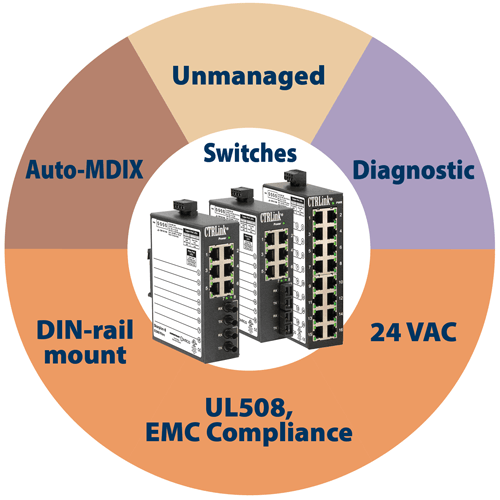
Contemporary Controls’ CTRLink switches are designed for unattended operation in industrial environments. The Ethernet switches provide convenient DIN-rail mounting in control panels, 24 VAC/DC power, UL 508, improved EMC compliance and extended operating temperature ranges of 0–60°C.
Switch types include:
- Unmanaged Switches: Plug and play devices that can be put into service without adjustments and provide a simple, cost-effective method for expanding Ethernet networks. Most models include features such as auto-MDIX and auto-negotiation.
- Diagnostic switches: Allow a network sniffer to connect to an unused port and monitor all network traffic. They retain all the virtues of switched
Ethernet, except that address learning is disabled. All messages—directed, multicast, broadcast—are flooded to every port, enabling a protocol analyzer tool, such as Wireshark®, to observe all traffic on the network.
These switches ensure predictable, time-sensitive communication and high availability in demanding industrial applications.
Conclusion
IP routers simplify machine integration by allowing machine builders to maintain original configurations while meeting customer network requirements. Using features, such as NAT, port forwarding, and network segmentation, they preserve validated configurations while complying with customer IT requirements. Additional benefits include:
- Reduced commissioning time and risk
- Improved network performance through traffic isolation
- Enhanced security
- Simplified deployment of standardized machine designs
- Secure remote access for diagnostics and maintenance
When combined with industrial-grade Ethernet switches, this approach delivers a reliable, secure, and efficient networking framework for modern industrial automation systems.